Why comparison screens work on the shop floor
When a customer is choosing between two laptops, sound bars or smart home devices, they usually want the same few details: screen size, battery life, storage, ports, warranty and price. A comparison screen brings those points into one clear view so the shopper does not have to read labels on three boxes or wait for a staff member to find a brochure. That saves time, and in a busy store it reduces frustration for everyone.
In South African electronics retail, this matters even more because customers often compare products while balancing monthly budgets and load-shedding needs. If the screen can show battery backup, power usage or inverter compatibility, it helps the buyer make a practical choice rather than a guess. It also keeps the conversation on facts, not just on whatever item is closest to hand.
For stores in Johannesburg or Cape Town where foot traffic changes quickly through the day, comparison tools can support self-service buying without removing the personal touch. A shopper can start on the screen, then ask the right question at the counter.
What a useful comparison screen should show
The best screens do not overload the customer with every possible feature. They highlight the details that matter most in the category being sold. For TVs that may be display size, refresh rate and smart functions. For headphones it may be noise cancellation, battery life and connectivity. For tablets it may be storage, stylus support and charging speed.
Clear layout is important. If the screen needs too many taps, or the fonts are too small, people lose interest fast. A store in Pretoria or Bloemfontein can get better results from a simple comparison table than from a flashy interface that takes too long to load. Good content loading and software configuration make a real difference here.
- Show 3 to 5 products at a time, not 10.
- Use short labels like battery life, ports, RAM and warranty.
- Keep pricing visible if the range changes often.
- Include stock status when the store wants to guide urgent purchases.
- Use plain language that sales teams can explain quickly.
Shoppers respond well to screens that feel practical and current. If the information is outdated the whole display loses trust and that is hard to recover from.
How stores use comparison screens to support selling
A comparison screen is not there to replace staff. It is there to make staff more effective. Instead of spending time reading out each specification, a consultant can ask a customer what matters most and then narrow the options on screen. That makes the discussion shorter and more focused.
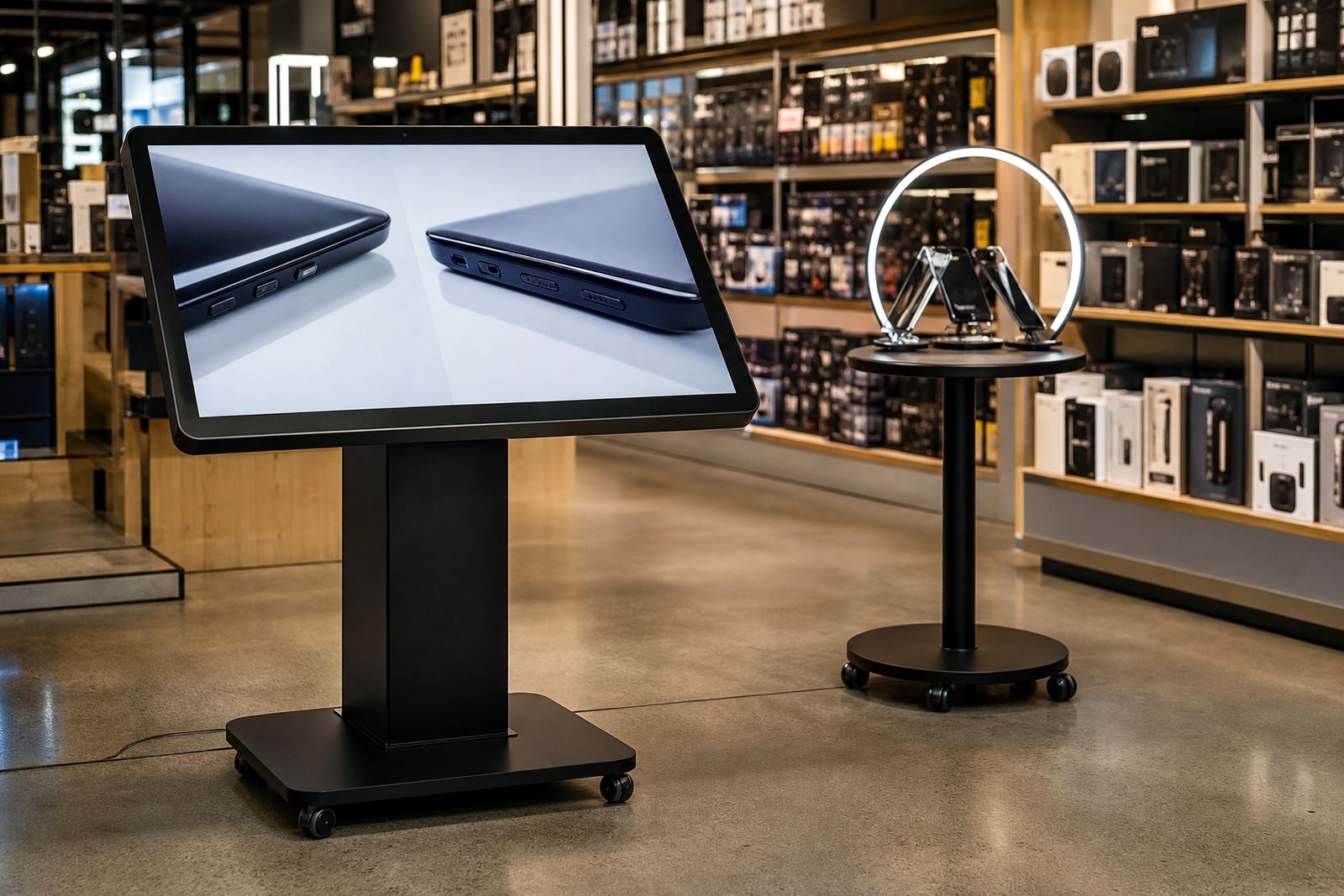
In bigger stores, the screen can sit near the premium laptop area, TV wall or mobile accessories section. In smaller shops, it can work as a single point of comparison at the counter. The same setup can also support product launches, seasonal promotions and end-of-line stock. If a customer is looking at two models with similar prices, the screen can make the difference clear in seconds.
For retailers in coastal areas like Durban or Cape Town, the physical build matters too. Screens placed near entrances or open doors must cope with humidity, dust and frequent use. A proper enclosure, stable mounting and preventative servicing help the unit keep working through busy trading periods and weather changes. We have seen that even a slight fault in touch response can slow a queue and cause customers to walk away.
Planning for local retail conditions
South African retail stores deal with conditions that affect both the hardware and the experience. Load-shedding can interrupt displays, while unstable power can affect software if the system is not configured properly. A comparison screen should be set up with power protection, clean shutdown processes and a network plan that keeps it available when the store needs it most.
Midrand is a practical base for this kind of work because it supports supply routes into Johannesburg, Pretoria and the wider Gauteng market. From there, installation teams can plan site assessments, delivery installation and follow-up support without long delays. For branch rollouts, this also makes it easier to standardise screen placement and content across multiple stores.
- Check where power points and data points already exist.
- Allow enough space for customers to stand and compare comfortably.
- Keep the screen at a height that suits both seated and standing users.
- Use secure mounting for high-traffic areas.
- Plan for quick servicing if a store runs late on trading days.
A store manager in Sandton will have different traffic patterns from a branch in Bloemfontein, but the need is the same: the screen must be visible, quick to use and easy to maintain.
Content that helps shoppers decide faster
Comparison screens perform best when the content is written for real shoppers, not for a technical manual. That means short product names, plain feature descriptions and a clear call to action. A customer should be able to say, in under a minute, which item suits them best. If the screen is trying to tell the whole product story at once, it becomes hard to use.
Custom branding can help tie the screen into the store layout, but the main aim should stay practical. The user needs to move between options, compare the details, and leave with confidence. When content is loaded properly, the store can highlight range differences, new arrivals and special bundles without confusing the customer.
Useful content often includes:
- Side-by-side feature tables for 2 to 4 products.
- Short explainer text for terms like OLED, ANC or Wi-Fi 6.
- Simple icons for battery, storage, resolution and connectivity.
- Promotional blocks for accessories that pair with the main item.
Done well, the screen supports the sale without feeling pushy. That is important in electronics where buyers want clear facts before they spend.
A practical example from a busy appliance and tech aisle
Picture a customer in a Johannesburg store comparing two smart TVs and a sound bar bundle on a Saturday morning. One model is cheaper but has fewer ports and a lower refresh rate. The other costs more, but suits a gaming setup and has better brightness for a lounge with sunlight. Instead of trying to explain all of that from memory, the sales consultant brings the products up on the comparison screen and the differences are obvious in a few taps.
That moment changes the sale. The customer is not being sold to, they are being helped to choose. If the screen also shows matching wall brackets, cables or extended warranty options, the store can increase basket size without adding pressure. It is a small change in presentation, but it can save a lot of time on the floor and reduce repeat questions through the day.
For retailers with branches in Pretoria, Cape Town, Durban and Bloemfontein, that same logic applies across the country. Once the format is set, the comparison screen can be used consistently from store to store, which makes training easier and keeps the customer experience familiar.