Why Pharmacies Use Interactive Kiosks on the Floor
In a busy pharmacy, people do not always arrive with a full shopping list. Some want cough and cold ranges, others need vitamins, baby care, first aid or a quick check on specials. A touchscreen kiosk gives them a clear way to search by category, read short product notes and see where items sit in store. That reduces pressure on staff and keeps the floor moving, especially during month end, lunch time rushes and after work traffic.
For larger stores in Johannesburg, Pretoria, Cape Town, Durban and Bloemfontein, kiosks also help with cross-selling. A shopper looking for pain relief can see related products, while a parent searching for infant care can be shown nappies, feeding items and hygiene products. It is practical, not flashy. The point is to make it easier for people to find what they need and for staff to spend more time on assisted sales.
Typical Equipment Set for a Pharmacy Store
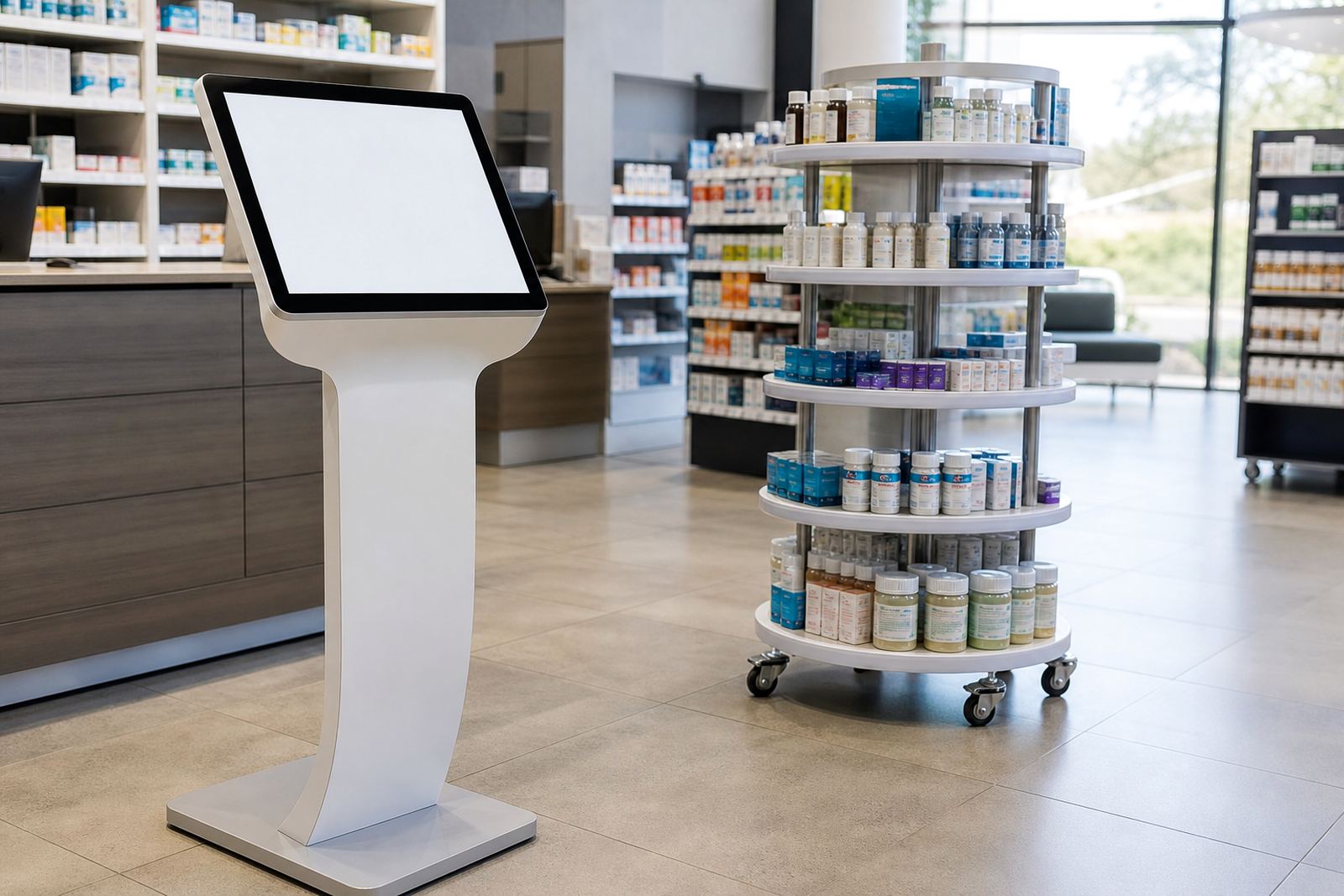
A pharmacy kiosk setup is usually compact and easy to place near the entrance, waiting area or end of a main aisle. The most common option is a freestanding touchscreen unit with a lockable cabinet, commercial screen and protected cable routing. For tighter spaces, a wall-mounted or counter-height unit can work well. Some stores also pair the kiosk with a 360-degree product display stand for featured ranges, new launches or private label products.
We plan for daily use, cleaning and store conditions. Coastal humidity in Durban needs better protection on fittings and cable points, while stores in Gauteng often want units that can handle long trading hours and load-shedding without trouble. Depending on the site, the kit can include a UPS for short power interruptions, network integration for live content updates, and software configuration so your team can manage promotions without fuss.
- Touchscreen kiosk, usually 32 inch to 43 inch depending on floor space
- Secure cabinet or pedestal with tamper-resistant access
- Content loading for categories, promotions and branch information
- Optional 360-degree stand for product feature areas or demo stock
Layout Planning for Pharmacy Aisles and Waiting Areas
Good placement matters more than a long spec sheet. A kiosk should sit where people naturally pause, but not block queuing space, wheelchair access or emergency routes. In smaller pharmacies, the best position is often near the front window or close to the prescription counter so the screen gets seen by people waiting their turn. In bigger stores, one unit at the entrance and one inside the health and wellness section can work better.
We look at sightlines, glare from shop lighting, power points, network access and the way staff move through the store. If you are in a mall, centre management may have rules on branding, fixing points and after-hours delivery. If the branch sits in a standalone building, security and shutter clearance become more important. The right plan keeps the kiosk visible but not in the way, and it should still be easy for cleaners and floor staff to work around it.
- Keep at least 1 metre clear for customer flow where possible
- Place the screen away from direct sun and bright reflections
- Allow safe access to power and network without trailing cables
- Make sure wheelchair users can reach the main touch area comfortably
Common Mistakes We See in Pharmacy Rollouts
Many pharmacies start with the screen itself and only later think about content, staff use and maintenance. That is where problems begin. If the kiosk does not answer real customer questions, it becomes a shiny object that people walk past. If the categories are too broad, or the product names do not match the wording used in store, shoppers get frustrated and staff end up helping anyway.
Another common mistake is underestimating power and connectivity. Some branches rely on a single plug point that also feeds other equipment, which is not ideal during outages. Others place the screen too close to the prescription queue, where privacy becomes an issue. We also see stores loading too much text onto each page. Keep the information short and easy to scan, with larger type and clear buttons. Simple usually works best.
- Too much text and not enough clear navigation
- Poor placement that blocks queuing or wheelchair access
- No plan for load-shedding, network dropouts or daily reboot needs
- Content that does not match the products actually stocked on site
Budget Ranges for South African Pharmacy Projects
Budgets depend on the size of the unit, the cabinet finish, branding, software needs and whether installation includes networking or more than one site. For a basic single kiosk in a smaller pharmacy, many projects start from about R45,000 to R75,000. A mid-range setup with stronger branding, content loading and installation support may sit between R75,000 and R125,000. Larger rollout projects or dual-site solutions with extra configuration can move above R125,000.
Ongoing support is worth planning for as well, especially if you want regular promotion updates, preventative servicing and fault repairs. Some branches only need occasional updates while others prefer a retainer so the screens stay current across seasons and campaign cycles. For pharmacy groups in Sandton, Centurion or across multiple provinces, it is often cheaper to standardise the layout early than to retrofit each site differently later.
How iTouch 360 Supports Pharmacy Teams
We work from Midrand and support pharmacy stores across South Africa, including Johannesburg, Pretoria, Cape Town, Durban and Bloemfontein. The process usually starts with a site assessment, then solution design, custom branding and content loading. After that comes delivery installation, software configuration and, where needed, network integration. Once the unit is live, your team can get staff training so they know how to use the system and handle basic checks.
For chain stores and busy independents alike, the aim is the same: make the shopping trip easier and keep the store looking organised. If a screen needs a repair or part replacement later, it helps to have a support team that already knows the site. That saves time when trading hours are tight and the front shop cannot afford long downtime. If you would like to discuss a pharmacy rollout, clients can reach us through the enquiry form on our contact page.