How electronics stores use kiosks on the shop floor
In a tech store, the customer is often already halfway through the buying decision. They want to compare screen sizes, check processor details, look at storage options and see what comes in the box before they ask for help. A touchscreen kiosk gives them that information at the shelf edge or near the main product bay, which keeps traffic moving and reduces repeat questions for staff.
For retailers selling phones, laptops, gaming gear, TVs and smart home products, the kiosk works as a self-service product guide. It can show product families, specs, warranty notes, accessories and promotion details without needing a staff member to stand there all day. In busy trading periods this is especially useful in Johannesburg and Pretoria stores where foot traffic can spike after work and on weekends.
- Compare product ranges side by side.
- Show specfications in plain language for shoppers.
- Display current promotions and bundle offers.
- Let customers browse accessories, extras and upgrades.
Typical equipment set for a tech retail environment
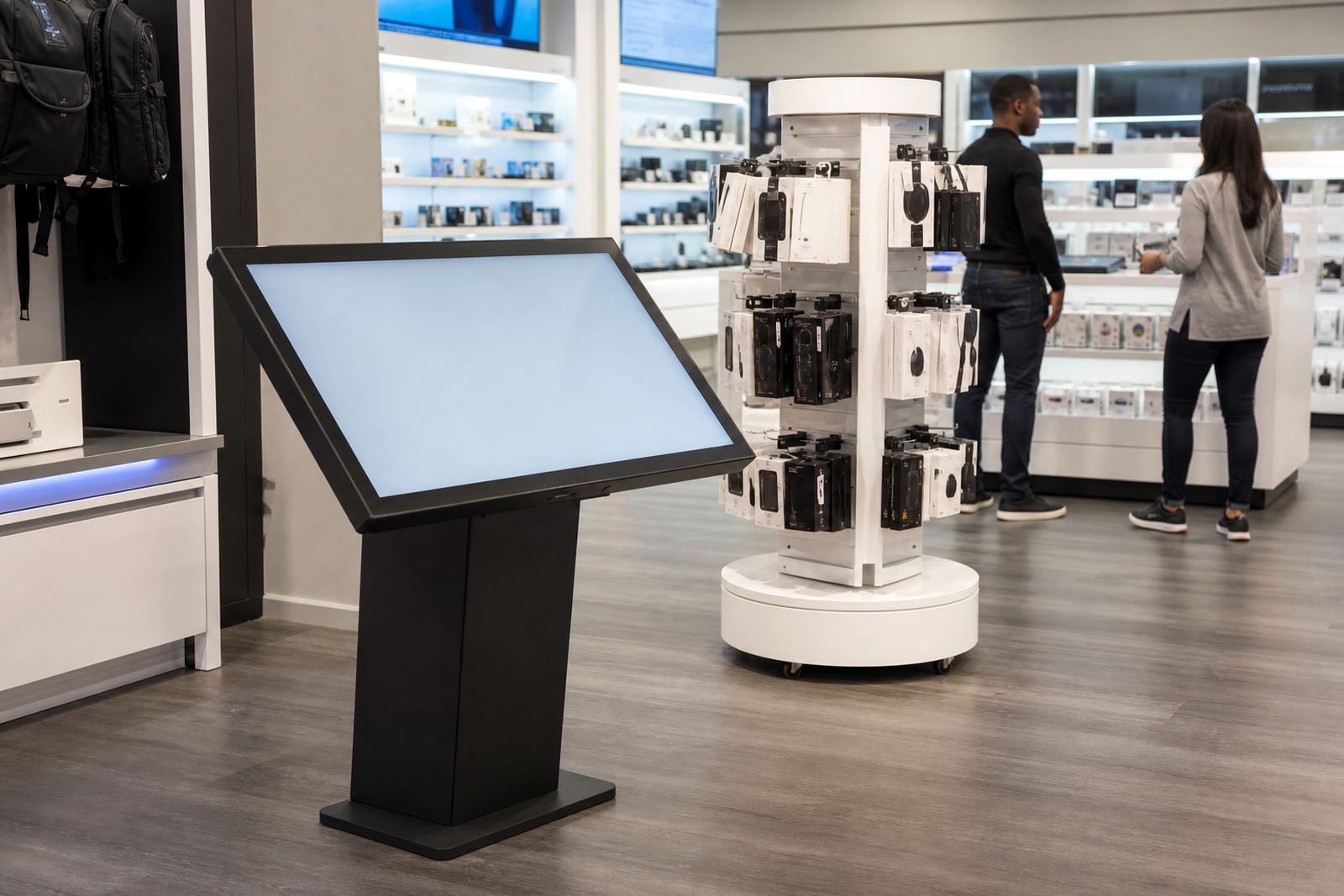
A standard electronics retail setup usually starts with one or more floor-standing touchscreen kiosks placed at high-traffic points. Depending on the store format, these can be paired with a 360-degree product display stand for feature items such as speakers, headphones, tablets or smart devices. The display stand lets shoppers see the product from all sides, which matters when finish, ports and physical design influence the purchase.
The equipment choice depends on the floor size and how much self-service the retailer wants. A compact branch in Sandton may only need one kiosk by the front display, while a larger flagship store in Cape Town or Durban may use several units across the store. For electronics retailers, the screen should be simple to read under bright lighting and easy to clean because fingerprints build up quickly.
- Interactive touchscreen kiosk with durable casing.
- Merchant-ready software for product lookup and content loading.
- 360-degree display stand for selected demo products.
- Network connection for live updates, if the store needs it.
- Power backup planning for load-shedding, where required.
Layout planning that keeps the floor working
Placement matters more than many stores think. A kiosk pushed too deep into a corner gets ignored, while one placed in a narrow aisle can block movement and frustrate customers. The best position is usually near category entrances, promo islands or the main comparison zone where shoppers naturally pause. If the store has a lot of glare from lighting or windows, the screen angle needs to be checked on site before installation.
We usually advise stores to think in terms of customer flow, not just available space. If a shopper enters looking for laptops, the kiosk should be close enough to that section to support the sale but not so close that it creates a bottleneck. In coastal areas like Durban or Cape Town, the layout should also take humidity and salt air into account when choosing materials and servicing intervals. Midrand and Centurion stores often need a tougher plan for dust and heavy daily use.
- Keep kiosks visible from the entrance but out of the main queue line.
- Leave enough turning space for two shoppers at once.
- Place power and network points where cable runs stay neat.
- Allow for cleaning access behind and below the unit.
Common mistakes that cost sales
One of the biggest mistakes is loading too much content on the screen. If the shopper has to tap through five menus just to find basic product details, they will walk away and ask a salesperson instead. Another issue is using the same setup across every store without checking the branch size, lighting and customer mix. A compact support point in Bloemfontein will not need the same configuration as a high-volume retail floor in Johannesburg.
Retailers also often forget about content ownership. If the kiosk shows old pricing, outdated models or incorrect accessory listings, it creates confusion and extra work for staff. We recommend a clear process for updates, testing and staff training so the system stays current. Fault repairs and parts replacement should be planned for in advance too, because any screen downtime on a busy trading day affects the whole floor.
- Do not overcomplicate menus.
- Do not place units where sunlight causes glare.
- Do not use outdated product data.
- Do not ignore network or power stability.
Budget ranges for South African electronics retailers
Budgets vary depending on screen size, enclosure finish, software needs, branding and whether installation is done in one branch or across several. As a broad guide, smaller touchscreen kiosk projects for a single store can start from about R28 000 to R45 000 per unit, while more customised solutions with stronger branding and integration can move into the R55 000 to R95 000 range. 360-degree product display stands are usually priced separately, depending on the product load, materials and motion requirements.
For multi-branch rollouts, planning should include delivery installation, content loading, software configuration, preventative servicing and support retainers. That gives the retailer a clearer view of total cost over time instead of only the upfront unit price. Stores with several branches across Gauteng and the coastal cities often save money by standardising one or two kiosk models, then adapting the content and branding by location.
It also helps to budget for periodic servicing, because electronics retail units work hard. Touchscreens need cleaning, internal checks and sometimes network adjustments after store refits or power interruptions.
What iTouch 360 supports from first visit to rollout
iTouch 360 works with retailers from the first site assessment through to installation and aftercare. The team can assist with solution design, custom branding, content loading, delivery installation, software configuration, network integration and staff training. For stores opening new branches or updating older floors, this makes it easier to keep one standard across Midrand, Sandton, Pretoria, Cape Town, Durban and Bloemfontein.
The team is led from the Midrand base by Sibusiso Mthembu, with support from Lerato Khumalo, Johan van Wyk, Anele Dlamini, Megan Naidoo, Thabo Molefe and Zanele Mokoena. For retailers, that means practical coordination from planning through to support. If a store needs a one-off display or a wider rollout across several branches, the enquiry form on the contact page is the place to start.
For electronics retail, the aim is simple: help shoppers find the right product faster and keep the floor moving without adding pressure to your staff.