Secure Viewing For High-Value Retail Stock
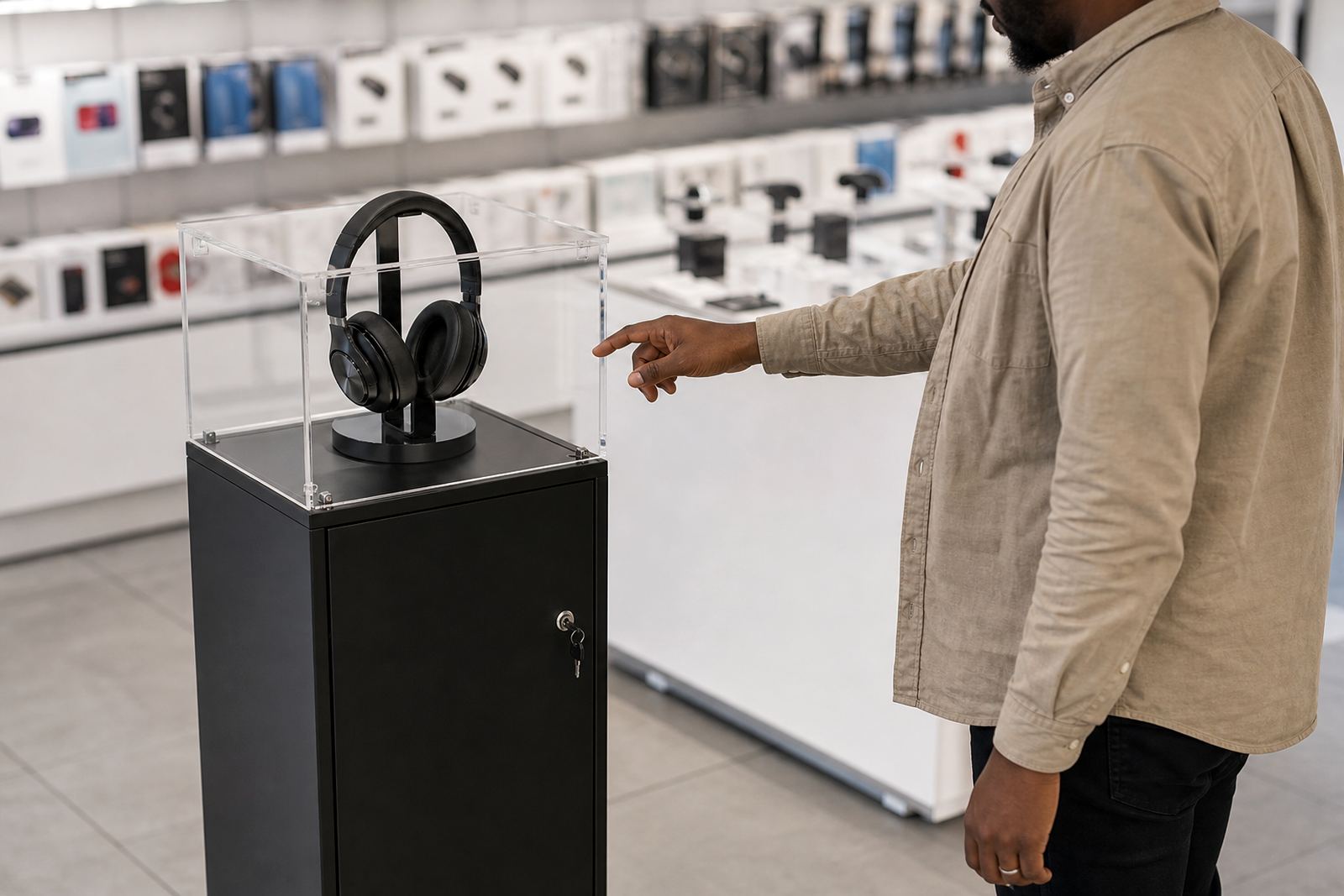
A lockable display kiosk is built for products that need to be seen clearly but not handled freely. It is commonly used for phones, tablets, wearables, small electronics, fragrances, premium accessories and other items where theft risk, customer handling, or stock control matters. The enclosure gives retailers a clear display point without leaving goods exposed on open shelving, and it helps staff manage demos in a proper way.
For busy stores in Johannesburg, Pretoria, Durban, Cape Town and Bloemfontein, this type of unit also helps keep counters neater. Staff can open it for assisted viewing and lock it again when the floor gets busy. That is useful during peak trade, lunch time rushes and weekend trading when one person may be serving several customers at once.
Sizes, Access Options And Display Layouts
These kiosks can be made in different footprints depending on the product and the floor space available. A compact unit may suit a single product line at roughly 600 mm to 900 mm wide, while larger formats can run to 1200 mm or more where more items or a demo area are needed. Height is usually set so the display sits at eye level without blocking sight lines across the shop.
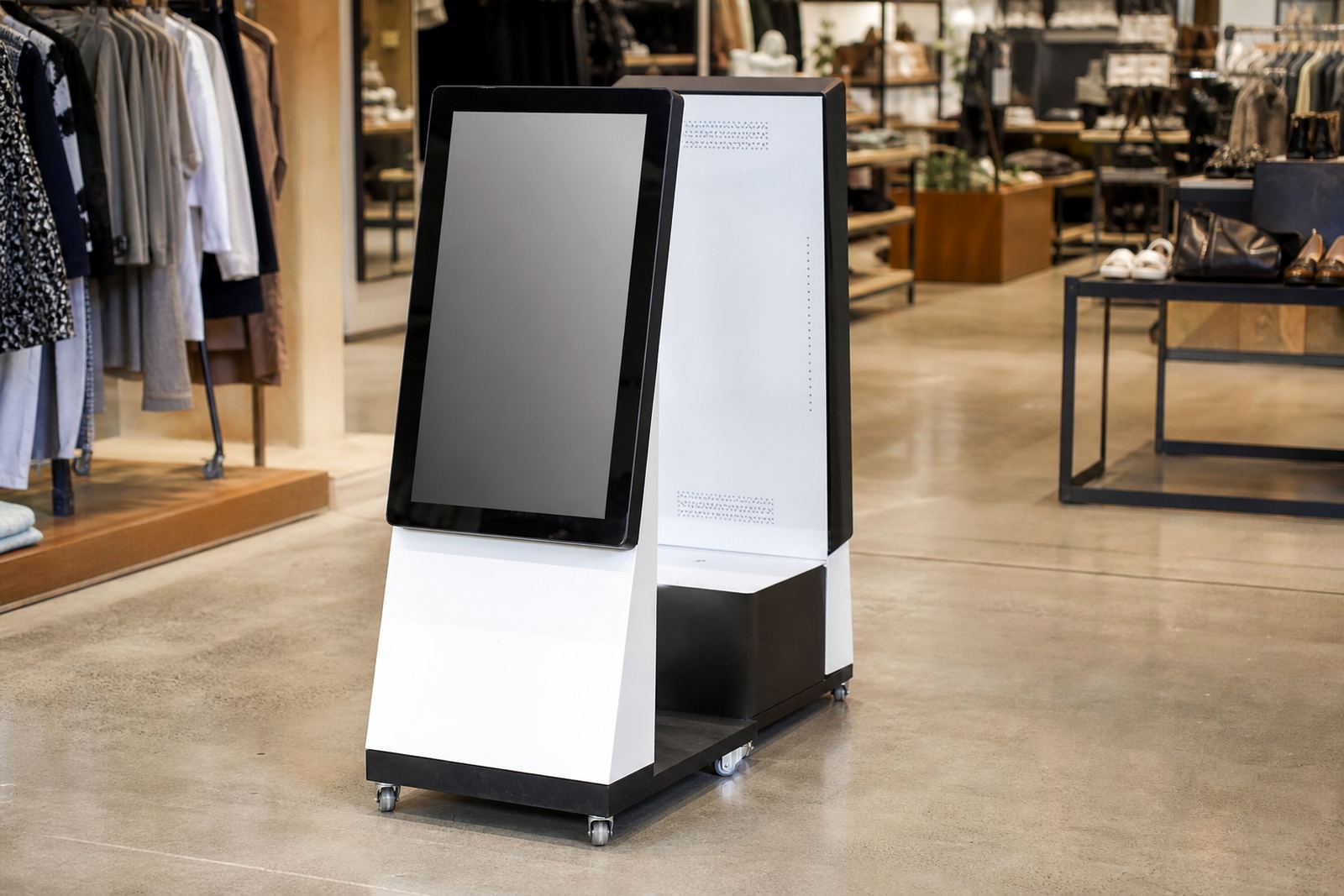
Common options include a lockable front panel, side access for staff, internal shelving, clear viewing panels and space for a screen or lighting package. If the kiosk needs to sit against a wall, a rear service panel may be better. If it must stand on the shop floor, the base should allow tidy cable entry and stable positioning on tile, vinyl or polished concrete.
- Single product or multi-item layout
- Clear or tinted viewing panels
- Lockable doors with staff-only access
- Internal shelf set at fixed or adjustable height
- Space for branding, pricing and product information
Where It Suits In Store
This kind of enclosure suits retail environments where the product needs close inspection before purchase. It works well in electronics stores, shopping mall kiosks, jewellery counters, cosmetics sections, mobile accessory areas and premium gifting bays. It also suits stores that want to show a sample product while keeping reserve stock secured underneath or behind the display.
In coastal areas like Cape Town and Durban, the materials and fittings should cope with humidity and salty air. In inland locations such as Midrand, Pretoria and Bloemfontein, dust and power interruptions are usually the bigger issues. If the kiosk includes lighting or a powered demo piece, it should be planned for load-shedding conditions so the display still looks neat when the power comes back on.
- Retail stores with walk-in traffic and high shrinkage risk
- Shopping centres with strict fire and escape route rules
- Temporary promotions, pop-ups and seasonal product launches
- Store-in-store counters needing a smaller footprint
Installation, Power And Site Checks
Before installation, the site should be checked for available floor space, wall clearance, power points and the route for cable entry. If the unit includes lighting, a screen, or any motorised feature, the electrical load must be matched to the outlet and protected properly. A standard 230V supply is usually enough for display lighting and screen use, but the final setup depends on the equipment inside the kiosk.
Some installations need data access for content or monitoring, while others only need power. If the unit sits near a mall passage or store entrance, the base must be level and secure so it does not move under daily use. Where the kiosk is fixed in place, the mounting points and any store approvals should be confirmed first, especially in centres with tenant rules on drilling, signage and after-hours work.
Our installation team can assist with delivery installation, software configuration, network integration and staff handover. That saves time for branches working across several locations, and it helps make sure the first handover goes smoothly.
Care, Cleaning And Servicing
Daily care is simple, but it should be done properly. The viewing panels should be wiped with a soft cloth and a non-abrasive cleaner, not harsh solvents that can cloud the surface. Locks, hinges and door seals should be checked regularly so dust does not build up and the enclosure stays easy to open. If the kiosk is used in a humid or dusty area, a more frequent check is worth it.
Preventative servicing helps extend the life of the display and cuts down on last-minute faults. That can include a check of locks, fittings, hinges, lighting, cable condition, ventilation gaps and any screen connections. If the unit includes a digital display, content updates and software checks should be done at the same time, so the kiosk remains useful and presentable.
- Clean viewing panels with a microfibre cloth
- Avoid water near power points and internal wiring
- Check locks and hinges every few weeks
- Keep vents clear if the kiosk has electronics inside
What To Confirm Before You Order
When ordering a lockable display kiosk, it helps to be clear on the product size, how many items must fit inside, and whether the display needs power. The team should also know if the unit must be freestanding, wall-mounted or built into an existing counter. If the product is fragile, heavy or high in value, the internal shelf depth and door opening size matter just as much as the outside footprint.
It is also useful to confirm branding needs, lighting colour, finish and whether staff need fast access from the front or rear. For chain stores, consistency across branches matters, so the same dimensions and locking method should be used wherever possible. If the kiosk needs to fit into a mall passway or tight retail bay, even a small measurement error can cause delays. Better to check it twice before fabrication starts.
- Product dimensions and total quantity on display
- Freestanding, wall-mounted or counter-top placement
- Power point location and cable route
- Lock type and staff access method
- Branding, colour and finish requirements
Support Across South Africa
iTouch 360 supplies lockable display kiosks from Midrand to retail sites across South Africa, including Johannesburg, Pretoria, Sandton, Centurion, Cape Town, Durban and Bloemfontein. The team handles site assessments, solution design, custom branding, content loading, delivery installation, fault repairs, parts replacement, staff training and support retainers, so the unit keeps doing its job after handover.
Under the direction of Sibusiso Mthembu, the team works with Lerato Khumalo, Johan van Wyk, Anele Dlamini, Megan Naidoo, Thabo Molefe and Zanele Mokoena to support store rollouts and one-off installs alike. If you need a secure display enclosure that lets customers see the product clearly while staff keep control, this is a practical option for modern retail.
Key facts
| Product type | Lockable retail display kiosk |
|---|---|
| Typical width | 600 mm to 1200 mm plus |
| Typical height | 1200 mm to 2000 mm |
| Materials | Powder-coated steel, laminated panels, clear viewing panels |
| Power requirement | 230V where lighting or a screen is included |
| Use case | Secure close-view display for higher-value retail products |