A space-saving kiosk built for busy retail floors
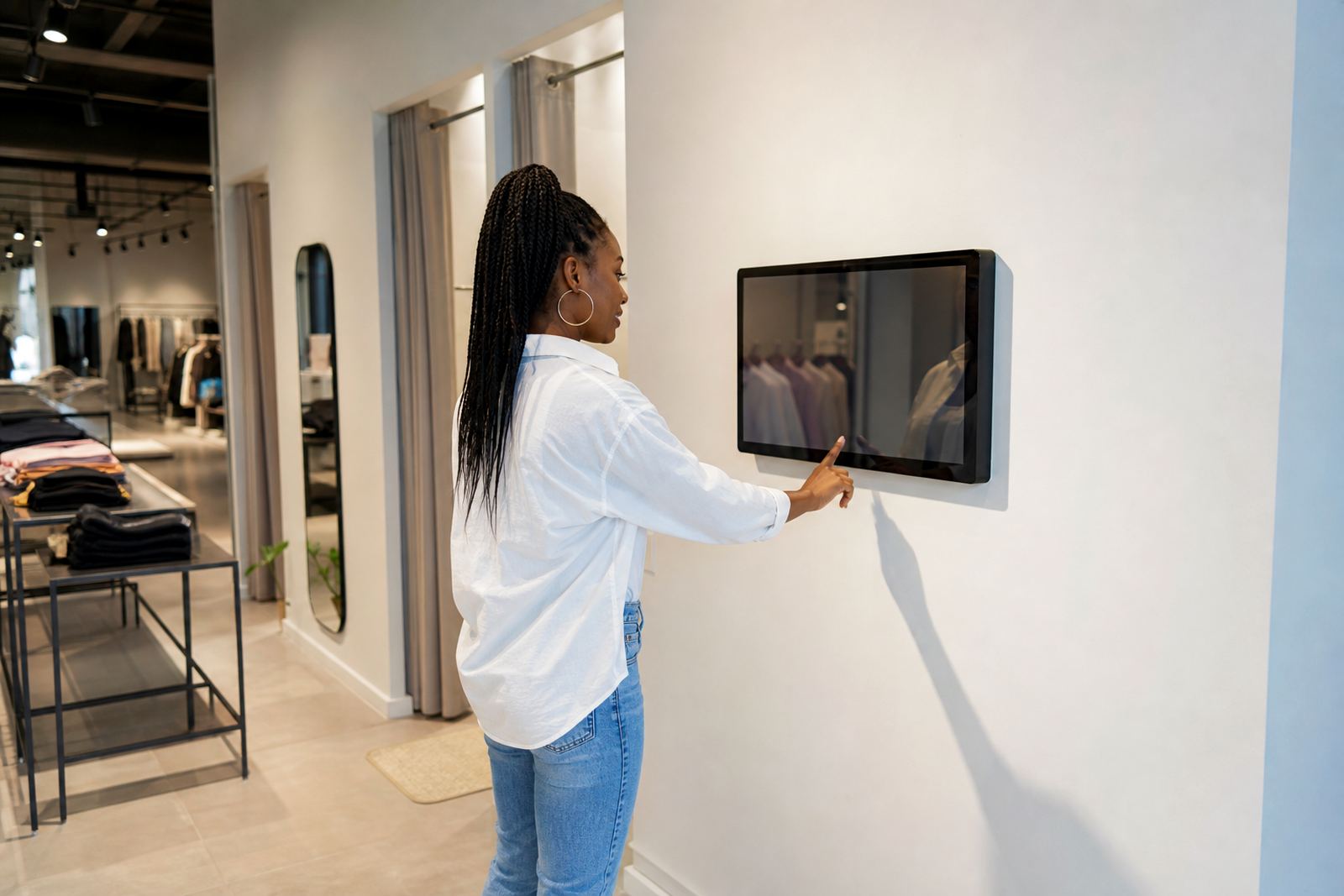
The wall mounted kiosk is a fixed touchscreen unit designed for stores that need clear product information, self-service browsing or simple wayfinding in a compact footprint. It keeps walkways open, uses vertical wall space well, and is a practical choice for entrances, aisle ends, fitting room areas and customer service points where a floor stand would get in the way.
In South African retail, this format works well where traffic is constant and counters are limited. It also helps in stores with high dust levels, frequent cleaning or tighter floorplans, because the unit stays anchored and out of the main traffic flow. With the right specification, it can handle daily use in malls, forecourts, showrooms and standalone stores from Johannesburg to Cape Town, Durban, Pretoria and Bloemfontein.
Sizes, screen options and mounting choices
Most retail wall mounted kiosk installations are supplied in screen sizes from 22 inch to 55 inch, depending on viewing distance, content type and available wall width. Smaller screens suit quick look-up points and service areas, while larger displays are better for product catalogues, store maps and promotional content that needs more visibility from across the shop floor.
Options can include a single portrait screen, a landscape screen, or a touch display with integrated enclosure for a cleaner finish. The housing can be powder coated in a brand colour or a neutral finish, and the screen can be specified for indoor use with high brightness for well-lit areas. If a store wants a more secure fit, tamper-resistant fixings and lockable service access can be included.
- Typical screen sizes: 22 inch, 32 inch, 43 inch, 50 inch and 55 inch
- Portrait layout for catalogues and wayfinding, landscape for broad product ranges
- Wall bracket or enclosed cabinet style mounting available
- Options for single touch, multi touch and remote content management
Where a wall mounted kiosk suits best
This product is useful anywhere customers need fast answers without waiting for staff. It is often installed beside product ranges, near entrances, at click and collect points, in appointment areas and close to tills where shoppers may still have time to browse. For chains with stores in different towns, the same format can be rolled out with consistent branding and content control across all branches.
Retailers also use it for stock look-up, store navigation, size charts, service sign-up and brand story content. In shopping centres and high footfall stores, a wall mounted kiosk helps guide traffic and reduce repeated questions. For coastal areas like Durban or Cape Town, correct enclosure selection matters because humidity and salty air can shorten the life of unprotected components.
- Clothing and footwear stores for size guides and collection browsing
- Hardware and building supply stores for product specs and aisle location
- Pharmacies and health stores for category information and queues
- Electronics, homeware and furniture showrooms for product comparison
Installation, power and network requirements
Installation starts with a site assessment so the wall structure, cable route and viewing height can be checked before fitting. The unit should be mounted on a solid wall or approved backing board, with enough depth for service access and cable management. In older buildings or rented premises, it is worth confirming landlord permissions and any mall rules before drilling or routing cables.
Power needs are straightforward: most units run on standard 220 to 240 V AC supply and do not need gas. Where the kiosk uses content updates, remote support or live product data, a stable network connection is recommended through LAN or secure wireless integration. For sites with load-shedding, a UPS or backup power plan can keep the screen and player running through short interruptions, which helps avoid downtime during trading hours.
- Standard power supply: 220 to 240 V AC
- No gas connection required
- Wall fixing must suit plaster, brick, block or reinforced panel
- Network options: LAN, Wi-Fi or integrated data connection
Care, servicing and everyday use
A wall mounted kiosk should be cleaned with a soft microfibre cloth and a non-abrasive screen cleaner. Harsh chemicals, rough cloths and excess moisture can damage the touch surface and the enclosure finish. In stores that trade long hours, regular checks on cable strain, ventilation and touch response help avoid small issues becoming bigger faults.
Preventative servicing is useful for retail sites that rely on the kiosk every day. That can include software checks, firmware updates, fan and filter cleaning where fitted, content testing and cable inspection. If the unit is in a dusty environment or near an entrance where rain spray gets carried in, it may need more frequent servicing. For retailers with multiple branches, a support retainer can help keep response times consistent across locations.
- Clean screen with a dry or lightly damp microfibre cloth only
- Check touch accuracy, brightness and sound levels regularly
- Keep vents clear to avoid heat build-up
- Book servicing before peak season or major promotions
What to confirm before you place an order
Before ordering, it helps to confirm the wall dimensions, the distance from the nearest power point, the height at which customers will use the screen, and whether the kiosk needs portrait or landscape orientation. You should also decide if the unit will be used for static information, live catalogues or networked content, because that affects the hardware and software configuration.
It is also worth checking the branch environment. A mall store may need a cleaner enclosure and concealed cabling, while a warehouse retail site may need extra protection from dust and impact. If the kiosk will be used by staff and customers together, think about user permissions, content loading and whether remote support is needed after installation.
- Wall type, fixing method and available space
- Screen size, orientation and touch use case
- Power point location and network access
- Branding, content loading and support requirements
Key facts
| Product type | Wall mounted interactive touchscreen kiosk |
|---|---|
| Screen sizes | 22 inch to 55 inch |
| Power | 220 to 240 V AC, standard mains supply |
| Connectivity | LAN, Wi-Fi or offline content playback |
| Mounting | Wall bracket or enclosed fixed cabinet |
| Use case | Product info, wayfinding, promotions and self-service |
| Finish options | Neutral or branded powder coated enclosure |