What the Queue Management Kiosk Does In Store
This kiosk gives shoppers a simple way to check in, collect a ticket, choose a service type and wait their turn without crowding the counter. It suits retail spaces where staff need to manage returns, finance queries, deliveries, fittings, collections or technical assistance in an orderly way.
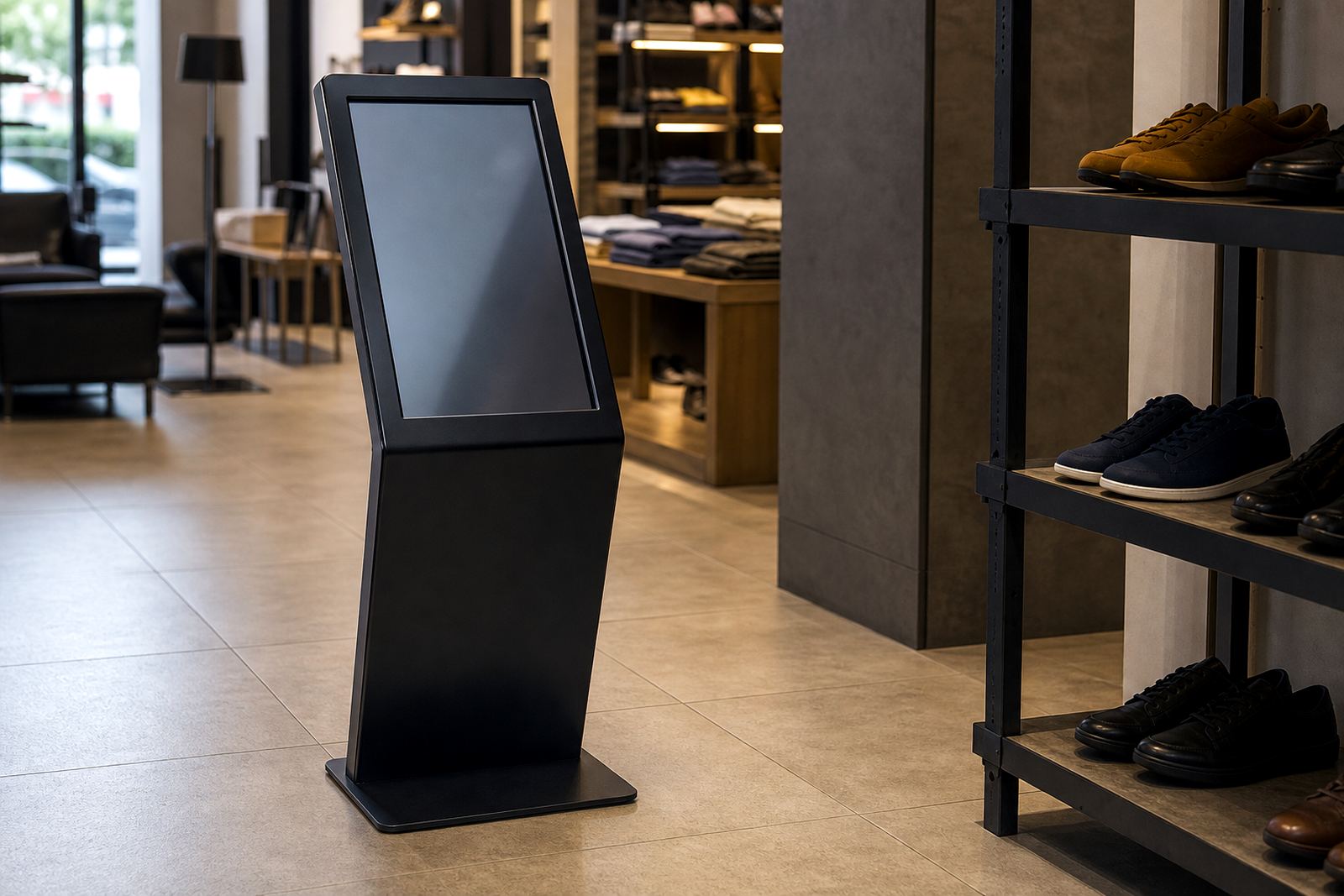
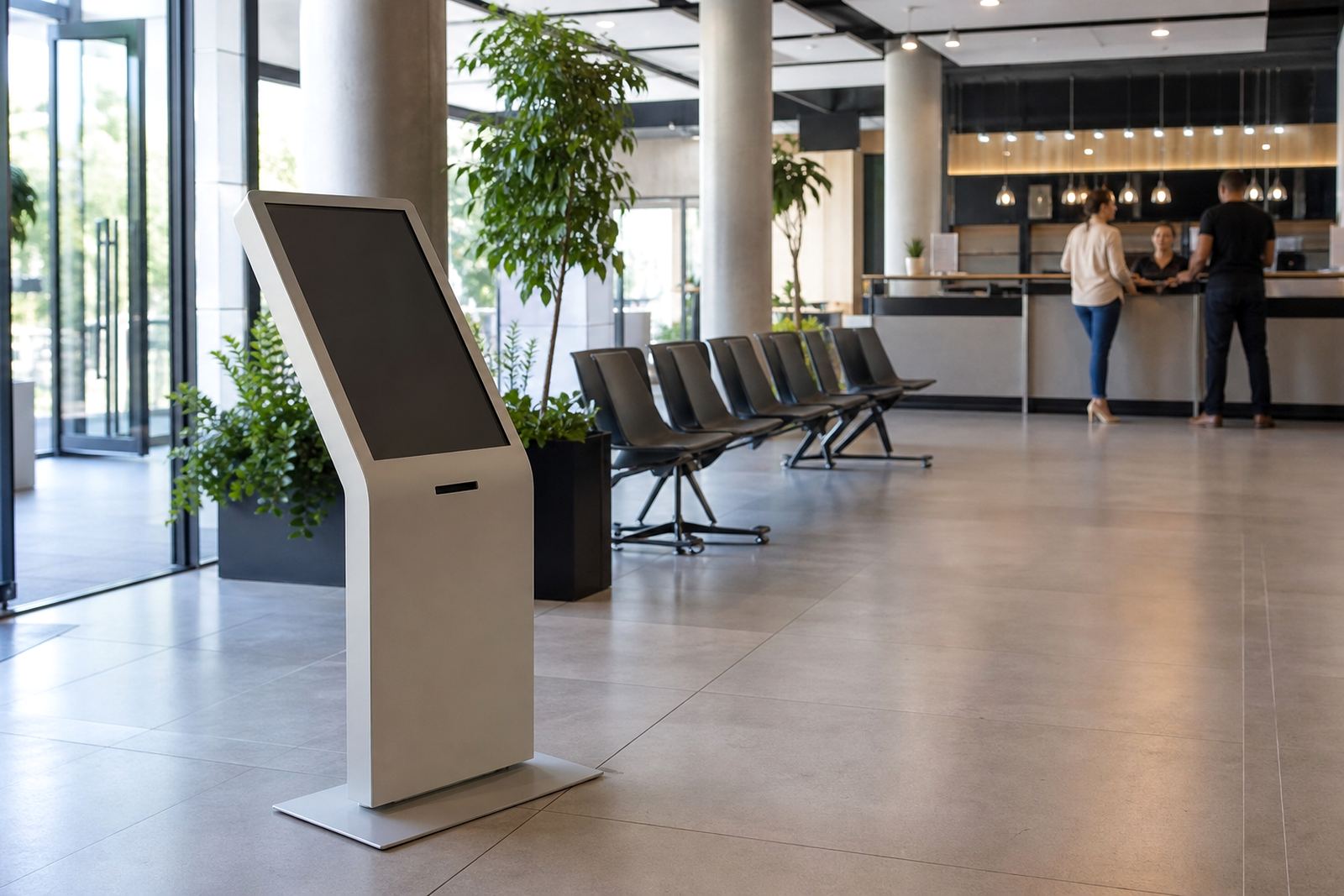
The unit can be set up with a touchscreen interface, ticket printer, barcode or QR scanner, speaker prompts and a screen that shows the next number or service bay. In stores with high foot traffic, it helps staff direct people faster and reduces the stop-start pressure at the front of house. It also gives a neater first impression than a handwritten queue sheet or a staff member trying to manage a line on their own.
- Ticketing for walk-in customers
- Service routing to the correct department
- Queue display for waiting customers
- Optional branding on the screen housing
Typical Sizes, Screen Options And Layout Choices
Queue management kiosks are usually supplied as floor-standing units, although some retailers prefer a wall-mounted screen with a separate ticket printer at counter level. The right size depends on the space available at the entrance, whether the kiosk must sit in a narrow passage and how visible it needs to be from the doorway.
Common screen sizes are 21.5 inch, 23.8 inch and 27 inch touch displays. For larger stores or multi-service counters, a bigger screen is easier to read from a distance. For compact sites, a slimmer cabinet with a smaller footprint may work better. We can also arrange portrait or landscape orientation depending on how the interface is programmed and where the queue lines up. In coastal areas, a sealed finish is worth considering because salt air can work its way into unprotected fittings over time, specially near loading bays.
- Floor-standing or wall-mounted formats
- Portrait or landscape screen orientation
- Single-service or multi-service menus
- Optional printer, scanner and receipt output
Where This Kiosk Suits Retail And Service Counters
This product is well suited to appliance retailers, furniture showrooms, electronics stores, building supply outlets, pharmacies, motor accessory shops and customer care centres. Any site that has a peak rush before lunch, month-end pressure or a weekend spike can benefit from better customer flow control.
It is also useful where different customers need different help. One person may be collecting a repaired item, another may need credit assistance, while a third needs a product demonstration. The kiosk keeps those paths separate, which makes the team quicker and calms the front area. For branches in malls or stand-alone stores, it can be configured to direct people to a specific service counter or to multiple departments on one system. In some stores, the queue display even helps when load-shedding interrupts service and staff need to manage a manual back-up process for a short time.
- Busy entrances with regular queues
- Stores with returns or collections
- Customer service and after-sales counters
- Multi-department showrooms and branches
Installation, Power And Network Requirements
Installation normally starts with a site assessment so the team can check the best position, cabling route, counter access and customer approach. The kiosk needs a stable surface or mounting point, a nearby power source and, where the software is networked, a reliable data connection. If the system includes live service updates or reporting, a secure network connection is advised.
Most units use standard 220V power. Where a printer or display is included, a dedicated plug point is preferred so staff do not have to rely on loose extensions. For sites affected by power cuts, a small UPS can keep the kiosk active long enough for orderly shutdown or short-term operation. There is no gas requirement for this product. In store planning, allow enough space for a customer to step up, select an option and move away without blocking the doorway.
- 220V mains power supply
- Network connection for live queue control if required
- Allow space for approach, standing and exit flow
- UPS recommended for short outages and clean shutdowns
Care, Servicing And Spare Parts
Like any customer-facing equipment, a queue kiosk needs regular cleaning and scheduled checks. The touchscreen should be wiped with the correct cloth and cleaning solution, not sprayed heavily, and the ticket printer should be checked for paper feed, cutter condition and receipt quality. Dust build-up around vents and cable entry points can lead to faults over time, especially in stores near busy roads or with open doors.
Preventative servicing helps avoid down time, keeps the touch response accurate and makes sure the display, printer and scanner continue working as expected. If the kiosk is used all day, a quarterly service is sensible, while lower-use sites may only need periodic inspections. We can assist with fault repairs, parts replacement, software configuration and support retainers for branches that want ongoing cover. Simple wear items should be kept in mind early, because a small printer fault can slow the whole queue and frustrate customers. A loose power lead can create avoidable call-outs too.
- Screen cleaning and touch response checks
- Printer paper and cutter inspections
- Cable, mount and ventilation checks
- Scheduled servicing for busy sites
What To Check Before You Order
Before placing an order, it helps to confirm how the kiosk will be used and where it will sit in the store. The more detail you have upfront, the easier it is to match the unit to your workflow and avoid changes later. If the kiosk must handle several departments, decide whether customers should see one menu or separate service options for each area.
Also check the screen size, cabinet finish, printer type, branding requirements and whether the system needs integration with an existing queue or service platform. Some retailers only need ticketing and routing, while others want reporting, multilingual prompts or staff login control. It is worth thinking through the peak number of users per hour as well, because a small kiosk can become a bottleneck in a busy branch. Our team can assist with site assessments, solution design, custom branding, content loading and installation across South Africa, with support from Midrand and the regional supply areas.
- How many customers per hour will use it
- Which services or departments need routing
- Whether printer, scanner or display board is required
- Whether the unit must match existing branding
Queue Management Kiosk Specifications
The final specification is matched to the store, but the following details are commonly requested for retail queue management systems. These values help with planning, cabling and service setup before delivery.
- Display size: 21.5 inch, 23.8 inch or 27 inch touchscreen
- Mounting: floor-standing cabinet or wall-mounted arrangement
- Power: 220V mains supply with optional UPS backup
- Connectivity: Ethernet, Wi-Fi or stand-alone operation depending on software
- Functions: ticketing, service selection, queue display and routing
- Finish: powder-coated steel or custom branded panels
Where required, we can configure the kiosk for one branch or a multi-site rollout, with the same operating logic across Johannesburg, Pretoria, Cape Town, Durban and Bloemfontein. That makes staff training simpler and keeps the customer experience consistent from one branch to the next.
Key facts
| Product type | Interactive queue management kiosk |
|---|---|
| Primary functions | Ticketing, service routing and customer flow control |
| Screen sizes | 21.5 inch, 23.8 inch, 27 inch |
| Power requirement | 220V mains, optional UPS backup |
| Connectivity | Ethernet, Wi-Fi or stand-alone depending on setup |
| Typical use | Retail entrances, service counters and customer care areas |