What a floorstanding touch kiosk does in store
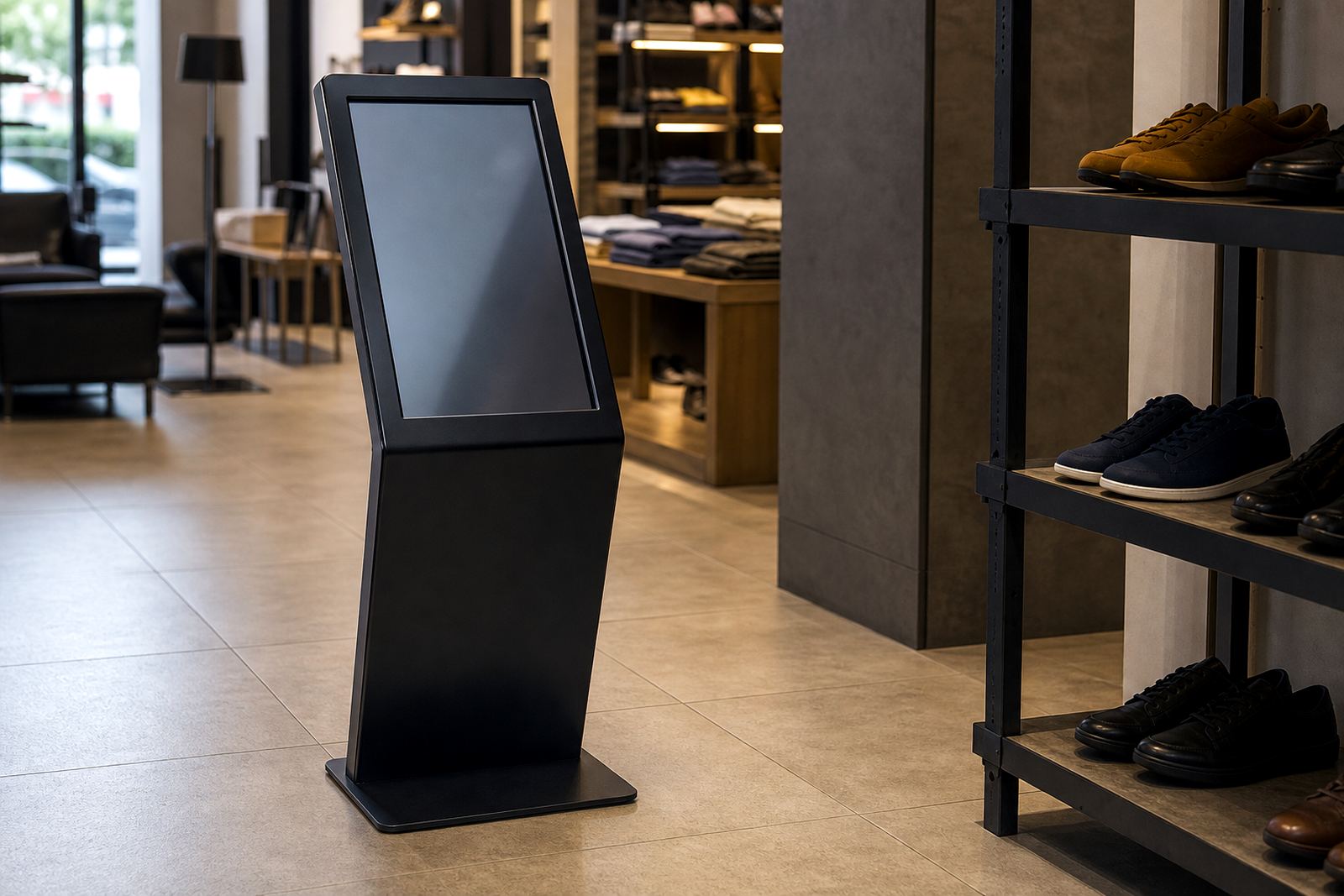
A floorstanding touch kiosk is a freestanding interactive screen built for retail use. It stands at eye level, presents product information in a neat format, and lets customers move through catalogues, promotions, stock lookups, appointment bookings or simple self-service steps without waiting for staff. In a store where foot traffic changes through the day, this kind of unit keeps information available all the time and helps customers make faster decisions.
The main advantage is visibility. A counter unit can be missed if shoppers are already carrying bags or moving through a queue, but a floorstanding kiosk sits in a clear spot and works well near entrances, aisle ends, service counters or feature displays. It also helps reduce pressure on staff during peak periods, especially in centres where weekends and month-end trading get busy.
We supply units for South African retail spaces that need practical use, not just good looks. That includes stores in Midrand, Johannesburg, Pretoria, Cape Town, Durban and Bloemfontein. For centres with strong footfall, the kiosk can be set up for quick interaction with larger buttons, clear fonts and a simple menu flow so customers do not get stuck.
Sizes, screen options and branding choices
Floorstanding touch kiosks are usually supplied in screen sizes that suit different floor spaces and customer distances. Smaller units work well in tighter aisles or compact showrooms, while larger screens suit open retail areas, mall entrances and demo zones where shoppers may stand back a little before engaging. The screen size can be matched to the content, so a simple promotion board does not need the same footprint as a full product selection system.
Typical options include portrait or landscape orientation, single-sided viewing, lockable access panels and a steel or aluminium cabinet finish. The enclosure can be powder coated in a retail colour, with room for custom branding, printed graphics or a logo panel. For stores that want a cleaner look, the unit can be finished to blend into the interior. For higher visibility, we can make it stand out near a new product launch or seasonal promotion.
- Screen sizes suitable for retail browsing, promotions and self-service
- Portrait or landscape layout depending on the content
- Lockable cabinet for internal equipment protection
- Custom branding for front panels and side surfaces
- Option for touch-friendly menu design with large icons
Because retail sites differ so much from one town to the next, the final size is usually chosen after checking the floor space, sightlines and customer flow. A kiosk in Sandton is not always placed the same way as one in a smaller store in Bloemfontein, so the layout needs to suit the actual site.
Where this kiosk works best
This product suits retail environments where shoppers need information fast. It is often used for product browsing, promotions, loyalty sign-ups, queue guidance, price checking, trade-in information and quick self-service steps. It also works well in stores that have seasonal ranges, changing specials or a wide catalogue that would be too much to print and reprint every month.
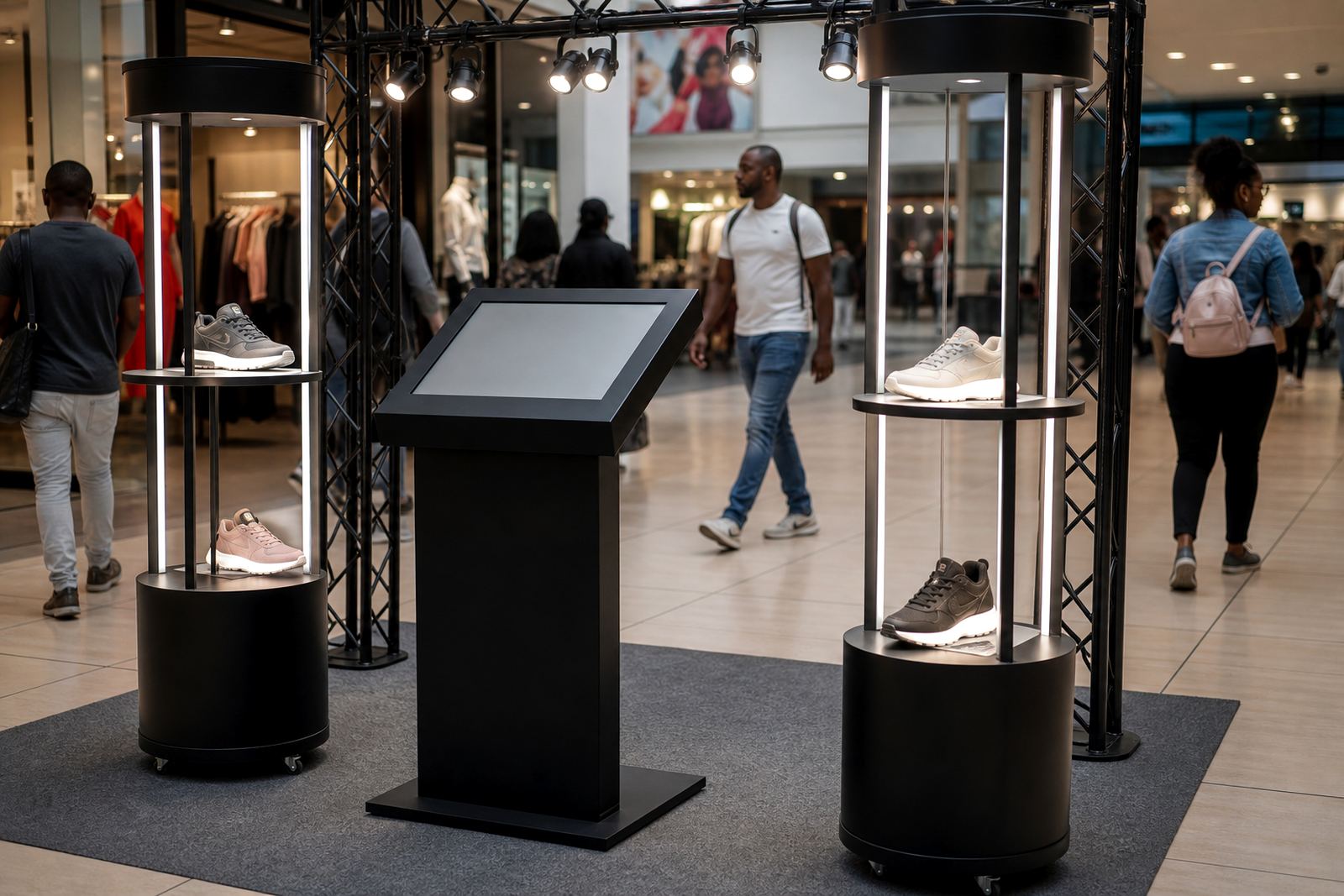
Good placement matters. The unit can be positioned near the entrance for first contact, beside a feature wall for guided browsing, or near the checkout to handle last-minute questions. In malls and high-traffic centres, the kiosk should be placed where it can be seen from a few metres away, with enough room for two or three customers to stand and interact without blocking the passage. That matters more than people think, especially where trolleys and baskets are moving past.
- Retail stores with large product ranges
- Promotional zones and launch displays
- Service counters and customer assistance points
- Shopping centres with steady foot traffic
- Stores that need self-service during busy trading periods
For outdoor-adjacent entrances, coastal humidity and dust need to be considered when choosing the cabinet finish and protection level. In Gauteng, the bigger concern is usually load-shedding and reliable start-up after power interruptions, so the configuration should suit the site conditions from the start.
Installation, power and network needs
Installation is planned around the store layout, access route and service points. The kiosk needs a stable, level position and a nearby power source. In most retail settings, the unit runs on standard mains power and does not require gas. If the application needs live data, stock feeds or remote content updates, network integration can be included through your store's internet connection or a secure local setup.
Where stores operate through load-shedding, we recommend checking the backup power plan before final placement. A kiosk can be fitted into a store that already has UPS support or backup circuits, which helps keep the screen available during short outages and avoids content corruption after sudden shutdowns. For malls with strict fit-out rules, the site assessment also checks floor loading, cable routes, access for maintenance and any landlord or centre management requirements.
Our installation team handles delivery installation, software configuration and content loading as part of the project. The aim is to leave the unit ready for daily use, not just switched on and waiting for someone to figure it out. On larger rollouts, the sequence is usually planned by branch and floor space so the store can stay open with minimal disruption.
Care, cleaning and servicing in daily retail use
A floorstanding touch kiosk needs simple, regular care. The screen should be cleaned with the correct cloth and approved cleaner so fingerprints, dust and product residue do not build up. The cabinet also needs a quick daily wipe, especially near entrances where dust, rain spray or foot traffic can bring dirt into the store. In winter, static dust can collect faster than expected, and in coastal towns the salt air can leave a film if the unit is not cleaned often enough.
Servicing should cover software checks, touch response, internal fans if fitted, cable condition and any signs of wear on the enclosure. Preventative servicing helps avoid downtime, which matters when the kiosk is being used for promotions or queue management. If a panel or component is damaged, parts replacement and fault repairs can be arranged, and support retainers are available for stores that want ongoing cover across more than one branch.
- Wipe screen with a soft microfibre cloth only
- Keep liquids away from vents and access points
- Check for loose branding panels or cable strain
- Restart after power interruptions if required
- Book routine servicing before busy trading periods
Retail staff should also be trained on basic use, including how to close an application, report a fault and check that the kiosk is showing the correct promotions. A little training saves a lot of time later, and it reduces the chance of unnecessary service calls.
What to check before you place an order
Before ordering, it helps to define exactly what the kiosk must do. Some stores only need product browsing and promotion content, while others want customer self-service, enquiry forms, stock lookup or loyalty registration. The content type affects screen size, menu structure and software setup. It also helps to know whether the kiosk will be used by one person at a time or by several shoppers through the day, because that affects the placement and durability needs.
You should also confirm the following: available floor space, power position, network access, indoor or semi-covered location, branding requirements and whether the unit must be anchored or moved between displays. If the kiosk will sit in a public area, it may need a more protective cabinet finish and stronger fixing points. For stores in busy centres, it is worth checking how the unit will be secured overnight and who has access for resets or updates.
- Required screen size and orientation
- Exact use case, such as browsing, promotions or self-service
- Store layout, traffic flow and installation position
- Power and network access on site
- Branding, content loading and support needs
Our team in Midrand works with retail clients across Johannesburg, Pretoria, Cape Town, Durban and Bloemfontein, including site assessments, solution design, content loading and after-sales support. If your store needs a floorstanding touch kiosk that fits the space properly and can be maintained without fuss, the details matter from the start.
Key facts
| Product type | Freestanding interactive touchscreen kiosk for retail use |
|---|---|
| Screen options | Portrait or landscape, with sizes matched to the site and content |
| Power | Standard mains power, with backup power planning recommended for load-shedding areas |
| Connectivity | Optional network integration for live content, updates and data feeds |
| Cabinet finish | Powder coated metal or mixed material enclosure with custom branding options |
| Use areas | Retail floors, entrances, service counters, promotions and self-service points |