A compact kiosk for high-contact retail points
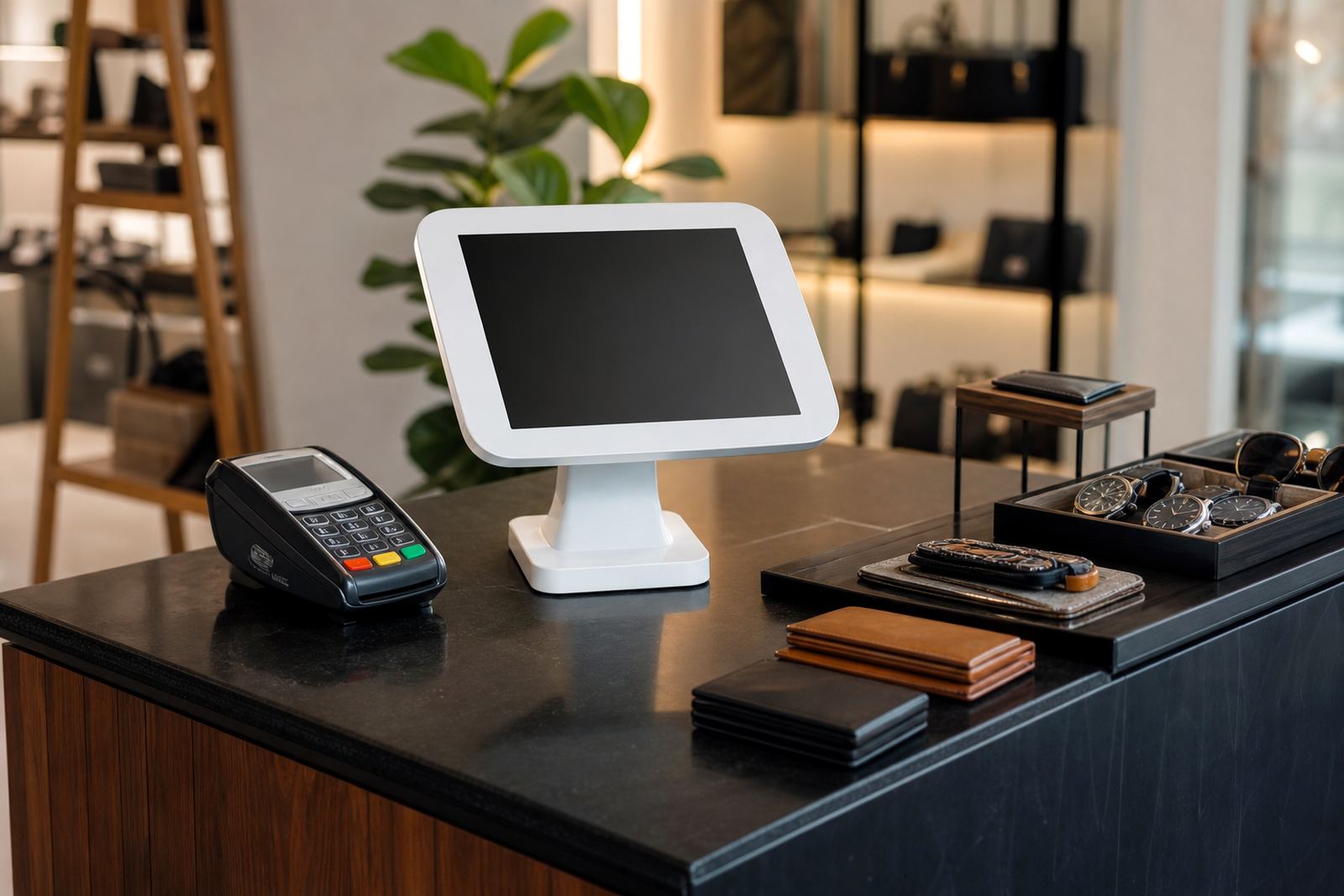
The Countertop Touch Kiosk is a smaller-format interactive unit designed to sit on a counter, reception point or product table. It is suited to stores that want customer self-service or guided selling in a space where a full floor-standing unit would be too large. In retail, every square metre counts, so this format works well where movement is already busy and staff need to keep serving customers.
It can be used to show product ranges, compare features, collect customer details, display store promotions or provide ordering assistance. The screen is positioned at a comfortable angle for standing users, with a stable base that keeps it steady during daily use. For stores in Johannesburg, Pretoria, Cape Town, Durban and Bloemfontein, the smaller footprint also helps where counters are already shared with tills, stock handover points or service counters.
Sizes, screen options and mounting choices
These kiosks are usually supplied in compact screen sizes that suit close-up viewing. Common options include 10 to 22 inch touch displays, with the exact size chosen according to counter width, viewing distance and the amount of content you want to show. A smaller screen suits quick menu selection, while a larger screen is better for product browsing or promotional content.
Mounting can be fixed or semi-fixed depending on the layout. Some retailers prefer a weighted base for easy repositioning, while others want a bolted installation for busy areas. You can also specify portrait or landscape orientation, internal cable routing, branded side panels and a finish that matches the shop interior. If your space gets bright sunlight from glass frontages or open entrances, a brighter display option is worth considering.
- Screen sizes from 10 to 22 inch
- Portrait or landscape layout
- Weighted or bolted base options
- Touch interface for self-service or guided use
- Branded panels and signage areas available
Where the kiosk works best in South African stores
This product suits any retail setting that needs quick interaction at point of contact. It is often used in pharmacies, cellular shops, gift stores, hardware counters, showroom receptions and mall kiosks. It also works well at service points where customers wait for assistance and need something to do while they queue.
In stores with load shedding plans, the compact format is useful because it draws less power than larger digital systems and can be placed near backup points. In coastal areas like Durban and Cape Town, the unit should be positioned away from direct sea air where possible, especially if the store has open doors or damp conditions. For inland branches in Gauteng, the main concern is dust, heat build-up and cabling that is neat enough for daily cleaning.
- Help points and reception counters
- Retail counters with limited space
- Product information bays
- Promotions, loyalty sign-ups and ordering points
- Queue management and customer assistance stations
Installation, power and network requirements
Installation is straightforward but should still be planned properly. The unit needs a stable, level counter surface and access to a standard electrical supply. Most setups use a normal 220V power point, with a suitable plug arrangement and cable management to keep the counter clear. There is no gas connection required.
If the kiosk is linked to live product content, stock information or customer capture forms, a network connection may be needed. This can be done through a data cable or wireless connection depending on the store layout and signal strength. Where the store experiences power interruptions, a backup supply may be recommended so the kiosk stays available during trading hours. The installation team should also confirm screen angle, cable exit points and access for cleaning behind the unit.
For multi-branch retailers, it helps to confirm whether the same layout will be used across all stores or adjusted per branch. A kiosk that works in Sandton may need a different footprint in a smaller Bloemfontein outlet. Small differences in counter height and wall clearance can affect comfort and cable routing, so a site assessment is worth doing first.
Keeping the unit clean and supported over time
Countertop units are handled often, so routine care matters. The screen should be cleaned with a soft microfibre cloth and a suitable screen cleaner, not harsh chemicals or abrasive paper. The body panels should be wiped down daily in busy stores, especially where fingerprints, dust and retail packaging build up quickly.
Regular servicing helps prevent touch issues, loose cables and software problems. Planned support can include fault repairs, parts replacement, software configuration, network checks and preventative servicing. If the kiosk is used for promotions or changing product ranges, content should also be updated often so the display stays relevant and not out of date.
- Daily screen and surface cleaning
- Check cables, power points and base stability
- Keep software current and content accurate
- Book preventative servicing for busy sites
- Replace worn parts before they cause downtime
What to confirm before you order
Before ordering, check how the kiosk will be used, who will operate it and what content it must display. A unit for simple product browsing is different from one used for lead capture, staff assistance or queue management. You should also confirm the screen size, orientation, finish, mounting method and whether the kiosk needs to match existing store branding.
It is also important to think about power access, internet connectivity and where the kiosk will sit during trade. If the counter is near a doorway or window, glare may affect visibility. If the area is exposed to frequent cleaning or humidity, the materials and cable layout need to suit that environment. Ask about training too, because staff should know how to load content, restart the system and report a fault quickly.
- Use case: browsing, ordering, sign-up or support
- Counter size and available viewing space
- Power point location and cable path
- Content requirements and brand finish
- Training, servicing and support needs
iTouch 360 supplies countertop touch kiosks from Midrand to retailers across South Africa, with support for rollout, installation and aftercare. If you need a compact interactive unit that fits neatly into your store flow, this format offers a practical way to get more customer engagement without taking up valuable floor space.
Key facts
| Product type | Countertop interactive touchscreen kiosk |
|---|---|
| Typical screen sizes | 10 inch to 22 inch touch display |
| Power supply | Standard 220V mains power, no gas required |
| Orientation | Portrait or landscape |
| Materials | Metal frame with branded panel options |
| Typical use | Counters, help points, reception and small display areas |