What content loading covers for retail kiosks
Content loading is the step where your touchscreen kiosk is prepared with the files and settings it needs to perform on site. We handle product images, category menus, store guides, promotional banners, video clips, price lists and interactive retail pages so the kiosk presents the same message in every branch. For retailers with changing ranges, seasonal offers or store specific pricing, this keeps the unit current and easy for staff to use.
Our team works with your approved content and sets it out in a clear format that suits the screen size and layout. That includes touch friendly buttons, readable text, high contrast panels and simple navigation for shoppers standing at the counter or moving through a store aisle. We can also prepare multilingual content where needed, which is useful in Gauteng, KwaZulu-Natal and the Western Cape where customer language preferences may vary.
- Menus for product search, category browsing and quick access pages
- Catalogues with images, specs, prices and promotion notes
- Video clips and product animations sized for kiosk playback
- Store specific messages, branch offers and compliance notices
- Content updates for launches, holidays and clearance periods
Content preparation before anything goes onto the screen
Good loading starts before the first file is copied. We check image quality, file sizes, naming rules and the full content structure so the kiosk does not freeze or slow down on busy trading days. A retail floor in Sandton or Cape Town cannot afford a screen that takes too long to respond, especially when customers are waiting and staff are helping on the till.
We usually prepare the following:
- Approved media files in the correct resolution for the kiosk display
- Text checked for spelling, pricing consistency and product naming
- Navigation paths for touch screens, including home and back buttons
- Offline access files where a branch has patchy network coverage
- Content load folders structured for easy future updates
Where stores operate in coastal humidity, we also keep an eye on file performance and screen behaviour after setup. If a kiosk will be used near an entrance or in a mall with heavy foot traffic, we prepare the interface so the most important messages remain easy to read under strong lighting. A neat file structure now saves time later, it really does.
Our loading process from first brief to handover
We follow a practical process so the branch team knows exactly what is happening and when. The first step is a brief from your retail team, which may include product groupings, promo dates, seasonal ranges and any store rules that affect what can be shown. After that, we map the content flow and load it to the kiosk software in the right sequence.
The usual process looks like this:
- Receive the content brief and files from your team
- Review format, screen ratio and content volume
- Load menus, images, video and interactive pages
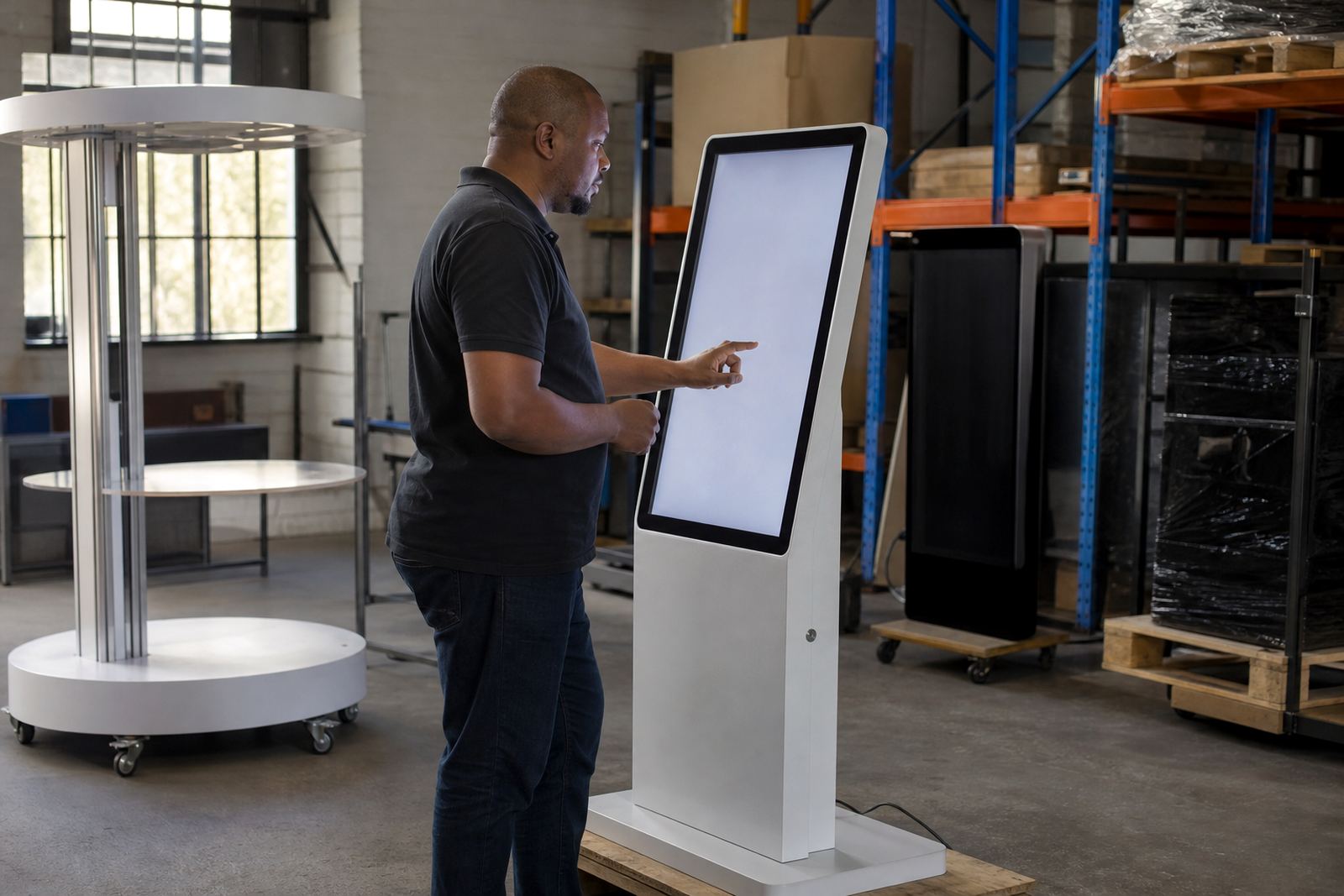
- Check links, touch response and page transitions
- Test the kiosk in a live or simulated retail setting
- Hand over with notes for future changes and upkeep
For larger rollouts across Johannesburg, Pretoria and Durban, we can load content in batches so each branch opens with the same message. If a retailer is launching in Bloemfontein and Midrand at the same time, we coordinate the schedule so the approved material lands on every unit before trade starts. The aim is simple: no guesswork, no last minute scrambling.
Turnaround times and what affects the schedule
Turnaround depends on how much content must be loaded, whether files are already prepared and how many kiosks are being updated. A single unit with a clean set of product images and menus can often be loaded quickly, while a multi branch rollout with custom branding and interactive pathways takes longer. We always factor in testing because a kiosk that looks ready but has a broken link or missing image is not ready at all.
As a guide, smaller jobs are often completed within a short agreed window once files are signed off. Larger projects, or those needing new content formats, can take several working days. We work around store trading hours where possible, and can schedule updates after close or before opening to limit disruption. For branches dealing with load-shedding, we also plan around power availability and can stagger work so testing is not interrupted.
If your content is urgent for a product launch, promo weekend or new store opening, tell us early in the brief. That gives us time to line up the files, review the workflow and make sure the screens are ready without cutting corners. A rushed update often becomes a repeat job, which costs more in the end.
Pricing approach for content loading jobs
We price content loading according to the actual work involved, not a one-size figure. Factors include the number of kiosks, how many content pages need to be prepared, whether the material must be resized or restructured, and whether the job is for one store or a national rollout. If the content is already supplied in the right format, the job is simpler. If we need to assist with file cleanup, page setting and extra testing, the price changes accordingly.
Retailers usually prefer a fixed quote once we have seen the brief and the file set. That keeps budgeting clear for project teams and branch managers. For repeat updates, we can also agree on a maintenance arrangement so the cost of regular changes is predictable. This works well for stores with monthly specials, shifting stock lines or seasonal campaigns that need fresh content on a steady basis.
- Fixed quote for one off loading projects
- Scheduled pricing for recurring branch updates
- Separate allowance for custom branding and media resizing
- Optional support retainers for ongoing content changes
Keeping kiosk content current after installation
Retail content should not sit untouched for months. Product lines change, prices move and promotions come and go. We recommend regular maintenance intervals so the kiosk stays accurate and useful. For many stores, a monthly review is enough. For high turnover retailers, fortnightly updates may be better, especially where promotions change quickly or ranges differ by branch.
Our upkeep can include checking broken links, replacing old images, updating menus, refreshing seasonal banners and loading new product media after launches. We can also confirm that the content still displays properly after software changes or network adjustments. If a store has a kiosk near the front door, in a bright showroom or beside a busy service point, we will also check readability and touch response because those conditions wear on the user experience over time.
With the right interval, your content stays useful instead of becoming background noise. That helps shoppers find what they need and helps staff avoid explaining the same details over and over. It is a small part of the system, but it makes a big difference on the floor.
Key facts
| Supported screen sizes | 21.5 inch to 55 inch retail touch displays |
|---|---|
| Typical content types | Menus, catalogues, product media, videos, banners and branch notices |
| File formats | Common image, video and document formats, subject to kiosk software setup |
| Display orientation | Portrait or landscape, depending on the kiosk build |
| Loading method | Local device loading, network push or managed update workflow |
| Maintenance interval | Monthly, fortnightly or project based, depending on store activity |